How to Choose the Right WhatsApp Business API Platforms for External Integration
Your WhatsApp Business API platform works fine until you need it to talk to your CRM. Then you discover the integration you assumed was included requires custom development, a middleware vendor, or a support ticket that sits unanswered for days. Choosing on messaging rates alone is how teams end up rebuilding their stack a year later.
This article breaks down what external integration actually demands, from CRM, e-commerce, and helpdesk connections to payment systems. You will learn which capabilities to verify before signing, where pricing models hide their real costs, and how to run a practical selection checklist so your next platform choice holds up at scale.
What "External Integration" Means for a WhatsApp Business API Platform
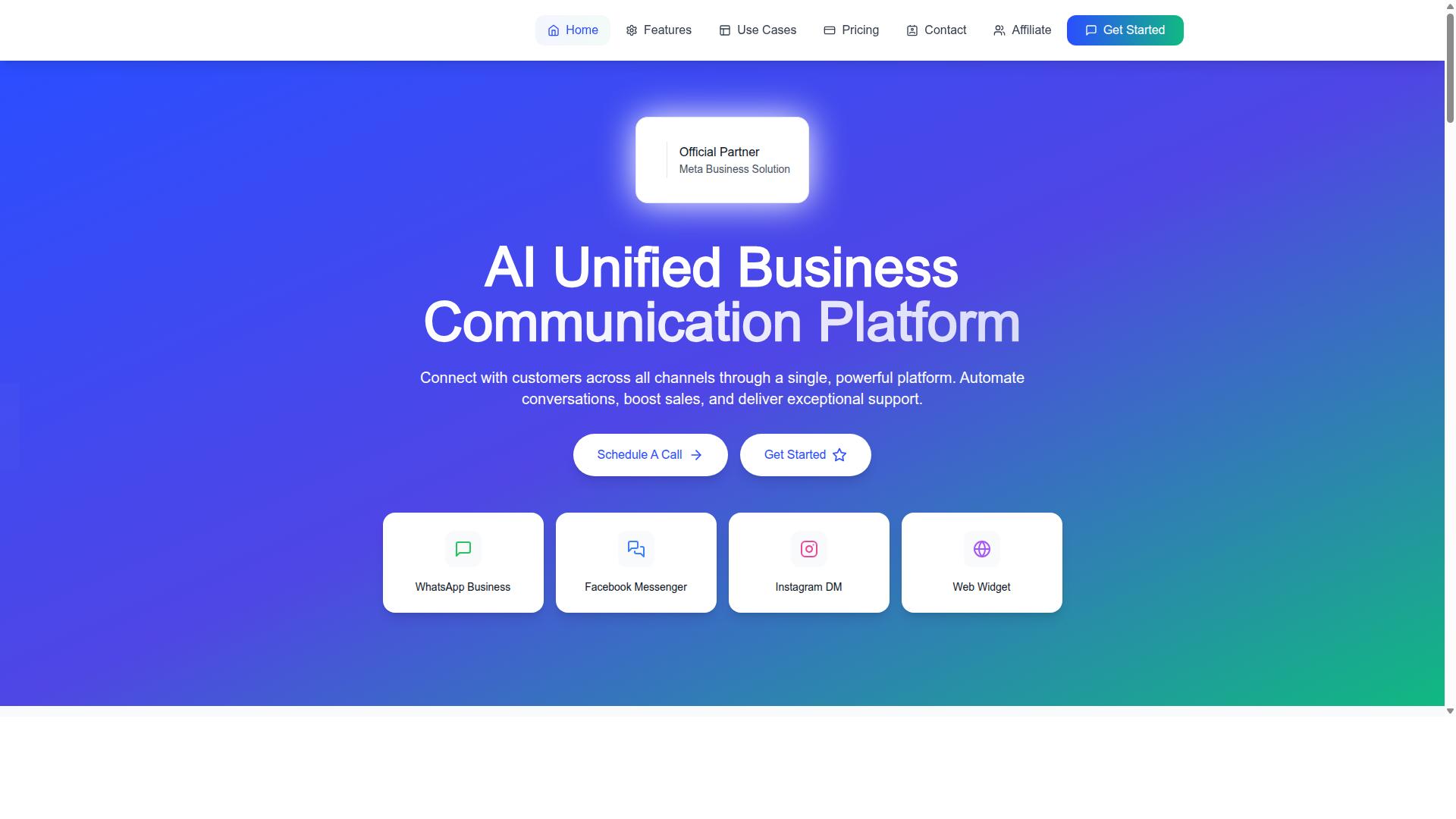
External integration for a WhatsApp Business API platform refers to connecting your messaging infrastructure with third-party systems like CRMs, e-commerce tools, and helpdesks to automate data flow and streamline customer interactions. It is the layer that turns WhatsApp from a standalone chat channel into part of a larger business workflow.
Technically, this connection happens through APIs, webhooks, and middleware. A REST API endpoint lets your systems push data into WhatsApp, while a webhook pushes events, such as incoming messages or delivery receipts, back to your software. Middleware sits between the two and handles routing, formatting, and retries.
Without integration, a WhatsApp Business API account is just a messaging tool. With it, the platform becomes a workflow engine. A new order can trigger a confirmation message. A support reply can open a ticket. A customer question can pull account details from a CRM before an agent ever responds.
This matters for platform selection because integration depth varies widely. Some API providers offer broad native connectors and generous API endpoints. Others support only basic messaging or limited webhook events. The difference shapes what your team can automate, how much manual work remains, and how consistent the customer experience stays as volume grows. Buyers should treat integration capability, not just message pricing, as a core selection criterion.
Key Integration Types: CRM, E-commerce, Helpdesk, and Payment Systems
The most critical integrations for a WhatsApp Business API platform fall into four categories: CRM, e-commerce, helpdesk, and payment systems, each serving distinct business functions. Each one connects to a different part of the customer lifecycle.
- CRM integration: Sync customer profiles, log every conversation against the right contact, and trigger personalized messages based on lifecycle stage. Common platforms include Salesforce and HubSpot.
- E-commerce integration: Automate order confirmations, shipping updates, and abandoned cart recovery. Shopify and WooCommerce are typical examples.
- Helpdesk integration: Create tickets directly from WhatsApp chats, assign them to agents, and track resolution times. Zendesk and Freshdesk are widely used options.
- Payment systems: Enable secure transactions inside the chat flow, such as sending payment links or confirming completed payments. Stripe and Razorpay are common examples.
These connections are built through native connectors, REST APIs, or webhooks. Native connectors are pre-built and fastest to deploy. REST APIs give engineering teams full control. Webhooks keep external systems updated in real time as events occur.
Breadth varies by vendor. Some platforms support dozens of pre-built connectors, while others require custom development for each system. Buyers should confirm which integrations are native, which need middleware, and which are not supported at all before committing to a provider.
Why Integration Depth Determines Long-Term ROI
Integration depth directly impacts long-term ROI by reducing manual work, minimizing errors, and enabling scalable customer engagement across the entire lifecycle. A shallow integration sends notifications. A deep one moves data both ways and triggers actions automatically.
Consider a CRM connection. A basic setup pushes a message when a deal stage changes. A deep setup syncs contact records, pulls conversation history into the CRM, and triggers personalized follow-ups based on customer behavior. Deeper integrations tend to contribute to faster response times and more consistent upsell opportunities, because agents act on complete context rather than partial records.
The cost side is just as important. Manual data entry carries a labor cost per interaction, and at high monthly interaction volumes that cost compounds. Automation removes most of that cost, and it also removes the errors that come with copy-paste work between systems.
Deeper integration also affects retention. Customers stay when responses are fast, accurate, and consistent across channels. Every manual handoff is a chance for a dropped thread or a delayed reply.
When comparing vendors, look for robust API endpoints, reliable webhooks, and pre-built connectors. Check rate limits, throughput, and uptime SLA commitments, since a deep integration that fails under load delivers worse results than a simple one that stays online. Vendors that invest in integration infrastructure tend to deliver higher returns over time, while shallow platforms often force expensive custom work later.
Must-Have Capabilities to Evaluate Before You Commit
Before committing to a WhatsApp Business API platform, evaluate its technical architecture, automation flexibility, and security posture to ensure it aligns with your operational needs.
These three areas determine whether a platform can scale with your message volume, stay reliable under load, and remain viable as your integration footprint grows. A vendor that looks affordable today may become a bottleneck once your CRM integration, helpdesk software, or e-commerce platform starts pushing thousands of events per hour.
Technical architecture covers how the platform connects to Meta, how it delivers events through webhooks, and how it handles throughput limits. Automation flexibility covers what you can build without engineering resources, from simple auto-replies to AI-driven conversational flows. Security and compliance cover how customer data is protected and whether the vendor meets the regulatory bar your industry demands.
Each area deserves scrutiny before you sign a contract. The following subsections break down what to look for, which questions to ask an API provider, and where shortcuts tend to surface later as outages, blocked numbers, or failed audits.
API Architecture, Webhooks, and Rate Limits
A platform's API architecture, webhook support, and rate limits dictate how well it can handle your message volume and connect with your existing systems.
WhatsApp Business API access generally runs through one of two paths. The Cloud API is hosted by Meta, which means faster onboarding, automatic scaling, and less infrastructure to maintain. The on-premises API gives you more control over data location and customization, but it demands server management, patching, and capacity planning from your own team.
Webhooks are how the platform tells your systems what happened in real time. Delivery receipts, incoming messages, and template status changes all arrive as events, which is what makes automation and CRM integration possible. Without reliable webhook delivery, your helpdesk software or ERP system operates on stale data.
Rate limits vary by vendor and by messaging tier. Exceeding them can throttle sends, delay delivery, or in severe cases trigger temporary restrictions. When evaluating an API provider, look for published throughput benchmarks and a clear uptime SLA. A robust platform should handle high-volume traffic without degradation; Com.bot, for example, processes 25M+ messages per day and provides real-time message delivery.
Finally, confirm that the vendor exposes well-documented REST API endpoints for custom integrations. Thorough documentation, sandbox access, and stable versioning matter as much as raw performance when your developers build against the API.
Automation and Bot-Building Flexibility
Automation and bot-building flexibility determine how easily you can create conversational flows without coding, and how well you can adapt to changing business needs.
Automation tools span a wide spectrum. At one end sit simple rule-based auto-replies triggered by keywords. At the other end are AI-powered chatbots that qualify leads, answer nuanced questions, and hand off to human agents when needed. Most businesses need something in between, which is why a visual bot builder with drag-and-drop interface is so valuable. It lets non-technical team members design complex flows without waiting on engineering.
Message handling rules matter just as much. Your platform must support message templates for outbound notifications, session messages for active conversations, and correct enforcement of the 24-hour window. Getting the window logic wrong means rejected messages and frustrated customers.
Common automation use cases include:
- Lead qualification with branching questions and scoring
- Appointment scheduling with calendar sync
- Order tracking updates tied to your e-commerce platform
- Support triage that routes tickets into helpdesk software
Flexibility also means connecting to external AI services such as Dialogflow or IBM Watson, and being able to export or import bot flows so you are not locked into one vendor. Platforms with a large builder community, like Com.bot with 100K+ bots created, tend to offer more mature tooling and reusable flow patterns.
Security, Compliance, and Official Meta Partner Status
Security, compliance, and official Meta Partner status are non-negotiable for protecting customer data and ensuring uninterrupted service.
Start with encryption. Messages should be protected in transit and data at rest should be encrypted on the vendor's infrastructure. End-to-end encryption protects message content, while encryption at rest guards stored conversation history, contact records, and logs.
Compliance requirements depend on your industry and region. GDPR governs personal data for customers in the EU, HIPAA applies to protected health information in the US, and data residency options matter if regulations require storage within a specific country. Ask where data is hosted, how long it is retained, and how deletion requests are handled.
Authentication is the next layer. Look for OAuth support, scoped access tokens, and phone number verification to prevent unauthorized access to your business account. Weak token management is one of the most common causes of account compromise.
Official Meta Business Partner status, often called BSP status, signals that a vendor has met Meta's technical and business requirements. This can affect API access, priority support, and long-term stability. Com.bot holds Official Meta Business Partner status and provides enterprise security with end-to-end encryption.
Use this checklist before you commit:
- Does the vendor offer end-to-end encryption for messages and encryption at rest?
- Does it comply with the regulations that apply to your business, such as GDPR or HIPAA?
- Are data residency options available for your region?
- Does it support OAuth, scoped tokens, and phone number verification?
- Does it hold official Meta Business Partner status?
A vendor that answers yes across the board removes much of the risk from platform selection and lets you focus on integration work instead of damage control.
Pricing Models Compared: Where Hidden Costs Appear
WhatsApp Business API pricing models vary widely, and hidden costs can significantly inflate your total cost of ownership if not carefully evaluated. Most providers structure their fees in one of two ways: conversation-based pricing or per-message pricing.
Conversation-based pricing charges you for each 24-hour conversation window opened with a customer. Per-message pricing bills each individual message sent or received. Meta sets the underlying rates for both models, and those rates vary by category, such as marketing, utility, authentication, and service conversations.
The complication is that many Business Solution Providers (BSPs) do not simply pass through Meta's fees. They add their own layer on top, which can take several forms:
- Markups on Meta's conversation fees, where the vendor charges a percentage above the base rate
- Per-seat charges for each agent or user accessing the platform
- Add-on fees for extra channels, integrations, or actions beyond a base limit
These layers are where budgets quietly expand. A platform that looks affordable at first glance can cost far more once your team grows or your message volume climbs.
Understanding the structure of these costs matters before you commit to any platform selection. The next two sections break down exactly where hidden costs appear and how one provider, Com.bot, structures its pricing as a comparison point.
Conversation Markups, Per-Seat Fees, and Add-On Charges
Hidden costs in WhatsApp Business API pricing often stem from conversation markups, per-seat fees, and charges for add-ons like additional channels or external actions. Each category deserves scrutiny during your evaluation.
Conversation markups occur when a vendor adds a percentage on top of Meta's published conversation rates. If Meta charges a set fee for a marketing conversation and your BSP adds a markup, you pay more for the same interaction. Over thousands of conversations, that gap grows.
Per-seat fees are charges per agent or user. These seem minor individually but compound quickly. A support team of 20 agents each carrying a monthly seat fee adds a recurring cost that scales with headcount, not with value delivered.
Add-on charges cover anything beyond a base limit. Extra social channels, additional integrations such as CRM integration or helpdesk software connections, or actions beyond a set threshold often carry separate fees.
Consider a hypothetical scenario. A business with 20 agents and 50,000 conversations might pay markups, per-seat fees, and add-ons on top of base fees, and those hidden costs can add up quickly.
Before signing any contract, ask for a full breakdown of fees. Request clarity on whether Meta's rates are passed through at cost, how per-seat charges apply, and what triggers add-on billing. A vendor unwilling to provide this transparency is a warning sign.
How Com.bot Structures Pricing and What It Includes
Com.bot offers transparent pricing with three plans, Silver, Gold, and Platinum, each including core features and options for add-ons. The structure is designed to avoid the hidden markups and per-seat surprises described above.
| Plan | Price | Notes |
|---|---|---|
| Silver | $149 per quarter | Entry-level plan |
| Gold | $349 per quarter | Recommended for growing businesses |
| Platinum V1 | $2500 per quarter | Highest tier |
Add-ons are priced at $10 per month for an additional team member, social channel, or external actions per 5,000. Bot triggers per 25,000 and an ecom store are also available as add-ons. Dedicated support is offered separately at $49 per hour for WABA, CRM, and Inbox, and $99 per hour for Ecommerce, Bots, and Automations.
Crucially, Com.bot states that WhatsApp messaging is billed at actual Meta rates with no markup. This directly addresses the conversation markup issue discussed earlier. There is no percentage added on top of Meta's fees, which means your messaging costs stay predictable as volume grows.
The Gold plan is recommended for growing businesses, balancing cost with capacity. For teams comparing platforms, Com.bot's approach contrasts with vendors that layer markups, per-seat charges, and unpredictable add-on fees. The pricing is stated upfront, and the add-on structure is defined per unit rather than left vague.
When evaluating any API provider, compare not just the headline price but the total cost of ownership. A platform with a low base fee but heavy markups and per-seat charges may cost more than one with transparent, all-inclusive pricing.
Scalability and Multi-Channel Readiness
Scalability and multi-channel readiness ensure your WhatsApp Business API platform can grow with your business and handle increasing message volumes across channels. These two qualities often determine whether an integration stays stable during busy periods or buckles under pressure.
A platform that scales well absorbs sudden spikes in traffic without dropping messages or slowing response times. Multi-channel readiness means the same system can also serve Facebook Messenger, Instagram, and a web widget from one shared inbox or routing layer.
For businesses, this matters on two fronts. First, customer experience: people expect fast replies whether they message on WhatsApp or another channel. Second, operational resilience: a platform that fails during a holiday sale or product launch creates support backlogs that take days to clear.
When comparing vendors during platform selection, look at how each one describes its infrastructure and channel coverage. A Business Solution Provider (BSP) built on the Meta Cloud API may scale differently than one running an on-premises API setup. Ask how the platform handles channel expansion, whether adding Instagram or a web widget requires new contracts, and how conversation history flows between channels.
Scalability also shapes external integration. A platform that supports a REST API, webhooks, and a clear API endpoint structure makes it easier to connect a CRM integration, helpdesk software, or an e-commerce platform later. Rate limits and throughput ceilings on the API provider side directly affect how many messages your connected systems can send or receive per second.
These factors set up the next question: what specific numbers and guarantees should you verify before committing to a vendor?
Message Volume, Uptime, and Delivery Reliability
A platform's ability to handle high message volumes with minimal latency and guaranteed uptime is critical for maintaining customer trust and operational efficiency. These three factors, volume, uptime, and delivery reliability, separate platforms built for scale from those that only work in low-traffic conditions.
As a practical benchmark, a robust platform should process millions of messages per day while maintaining high uptime. Message delivery should happen within seconds, not minutes. Latency at that level keeps session messages and message templates feeling conversational rather than delayed.
Vendors achieve this through distributed infrastructure, redundancy, and load balancing. Instead of relying on a single server region, traffic spreads across multiple nodes so a failure in one area does not take down the whole system. Load balancing routes incoming webhook traffic and outbound API calls to whichever node has capacity.
Uptime SLAs deserve close attention. An uptime SLA still allows for some downtime per year, and what happens during an outage matters as much as the percentage. Ask whether the vendor provides status pages, incident reports, and credits if the SLA is breached.
Peak scenarios test these promises. Holiday sales, product launches, or a viral campaign can push message volume far beyond normal levels. A platform that scales automatically handles the surge. One that requires manual capacity increases may fail exactly when you need it most.
- Request historical uptime data for the past 12 months, not just the advertised SLA figure.
- Ask for scalability test results showing performance under simulated peak loads.
- Confirm how the platform handles rate limits during traffic spikes.
- Check whether delivery receipts and failure notifications are exposed through webhooks.
These questions apply whether you are evaluating a Cloud API provider or an on-premises API setup. The answers reveal whether a vendor's reliability claims hold up under real-world conditions.
Evaluating Vendor Support and Onboarding
Vendor support and onboarding quality can make or break your WhatsApp Business API implementation, affecting time-to-value and long-term satisfaction. Even a platform with strong technical capabilities can stall your external integration if the team behind it leaves you guessing during setup or slow to respond when something breaks in production.
The onboarding phase is where most integration friction surfaces. Connecting a WhatsApp Business API platform to a CRM, helpdesk, or e-commerce system involves configuring webhooks, generating access tokens, verifying phone numbers, and mapping message templates to your existing workflows. A vendor that guides this process reduces the risk of misconfigured API endpoints, failed webhook deliveries, and rejected template submissions.
Support matters just as much after go-live. Rate limit changes, session window rules, and Meta policy updates can disrupt a working integration without warning. A responsive vendor helps you diagnose whether an issue sits with your code, the platform, or Meta's Cloud API itself.
Weak support shows up in predictable ways: unanswered tickets during critical outages, documentation that describes features without explaining how to use them, and no clear escalation path. These gaps cost engineering hours and delay launches. The next section breaks down the specific areas to evaluate so you can compare vendors on evidence rather than sales promises.
Setup Assistance, Documentation, and Responsiveness
When evaluating vendor support, focus on setup assistance, documentation quality, and responsiveness to ensure a smooth onboarding and ongoing operation. These three areas reveal how a Business Solution Provider or API provider treats customers once the contract is signed.
Setup assistance should go beyond a welcome email. Look for a dedicated onboarding manager, guided API key generation, and hands-on help with phone number verification. If you are connecting to a CRM integration or ERP system, ask whether the vendor provides configuration guidance for that specific use case or leaves the mapping entirely to your team.
Documentation is the clearest signal of vendor maturity. Strong documentation includes a full REST API reference, working code samples, tutorials for common external integration patterns, and an FAQ covering webhook retries and message template approval. A knowledge base with copy-paste examples shortens your developers' learning curve considerably.
Responsiveness determines how quickly problems get resolved. Evaluate the available support channels, whether that means email, live chat, or phone, and confirm the stated response times and hours of availability. A vendor offering live chat during business hours may serve you better than one promising round-the-clock coverage that rarely answers.
Test support before you commit. Send a pre-sales question about webhook behavior or rate limits and note how long a reply takes and whether the answer is specific or generic. That single interaction often predicts the quality of post-sale support more reliably than any marketing page. Also confirm whether technical staff, not just sales representatives, handle integration questions.
A Practical Selection Checklist
Use this practical checklist to systematically evaluate WhatsApp Business API platforms and ensure you cover all critical aspects before making a decision. Each item includes a question you can put directly to vendors during your evaluation.
- Integration depth: Does the platform connect natively with your CRM, helpdesk software, e-commerce platform, marketing automation tools, ERP system, and payment gateways, or does it rely on generic connectors? Ask: "Which CRM integration and helpdesk software connections are native, and which require middleware?"
- API architecture: Review how the platform handles webhooks, REST API endpoints, and rate limits. Ask: "What are your throughput limits, and how do you manage webhook retries when an endpoint is unavailable?"
- Automation flexibility: Look for a visual builder and AI capabilities that let you design flows without heavy coding. Ask: "Can I build and modify automation flows without developer involvement?"
- Security and compliance: Confirm encryption standards, GDPR alignment, data residency options, and Meta Partner status. Ask: "Are you a verified Meta Business Solution Provider, and where is my data stored?"
- Pricing transparency: Check for hidden markups, conversation-based pricing versus per-message pricing, and clear add-on costs. Ask: "What is your markup on Meta's conversation fees, and what triggers extra charges?"
- Scalability and reliability: Assess message volume capacity, latency, and uptime SLA. Ask: "What is your uptime SLA, and how do you handle peak throughput?"
- Multi-channel support: Determine whether the platform extends beyond WhatsApp to other channels you may need later. Ask: "Which channels can I add without switching platforms?"
- Vendor support: Evaluate onboarding help, documentation quality, and responsiveness. Ask: "What does onboarding include, and how quickly do you respond to support requests?"
A final tip: request a demo and a trial period so you can test the platform hands-on. Pay attention to how phone number verification, access token setup, and message template approval work in practice, since these steps reveal how smooth the day-to-day experience will be.
Some platforms meet many of these criteria out of the box. Com.bot, for example, is a SaaS option worth including in your shortlist. You can reach the team at sales@com.bot or by phone and WhatsApp at +91 080 6987 1810 during business hours, Monday to Friday, 9:00 AM to 6:00 PM IST. The head office is at 501, Trinity Orion, Vesu Main Road, Surat - 395010, IN, and WhatsApp support is available for inquiries.